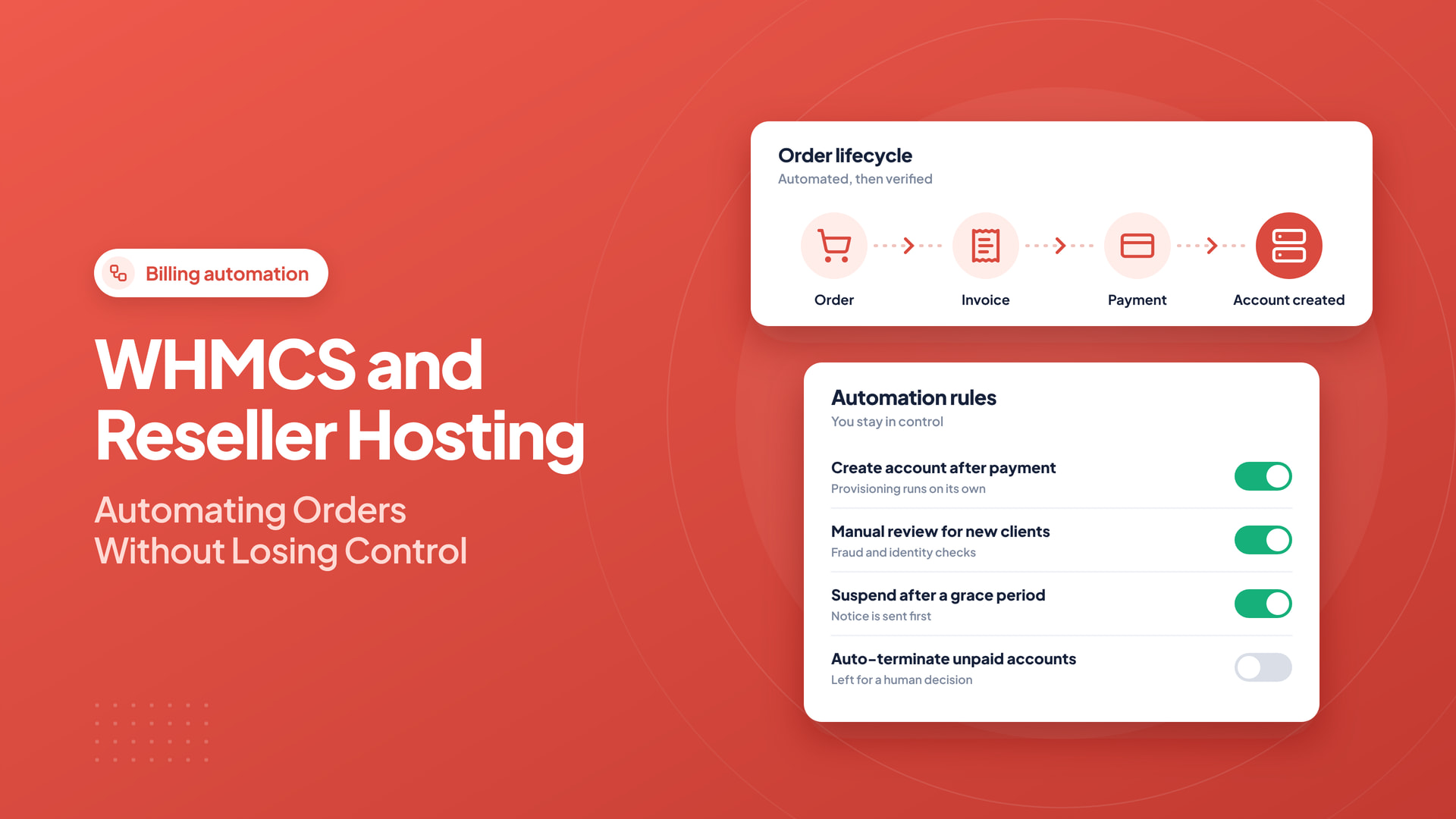
Billing automation becomes useful when a hosting reseller begins managing renewals, accounts, and support requests for multiple clients. WHMCS can connect those processes, but automation is most effective when the underlying services and policies are already clear.
Quick answer: WHMCS can automate billing and hosting provisioning, but its workflows must handle payment retries, upstream failures, renewals, security, and human escalation. Test failed paths as thoroughly as successful orders.
Know what the software is responsible for
A billing platform can collect customer details, generate invoices, record payments, and coordinate service provisioning through supported integrations. It is not a replacement for server monitoring, backups, security updates, or human review of suspicious orders.
Document your process before automating it. Decide which events should create an account, send a message, suspend a service, and notify an administrator.
Separate billing from provisioning
An invoice marked paid is not always proof that an account has been created correctly. Verify the connection between WHMCS and the server API, test package mapping, and confirm that a newly provisioned customer can log in.
Use the least privileged credentials supported by your integration and store them securely. Rotate API tokens when staff access changes.
Set sensible renewal and suspension rules
Define reminder periods, overdue notices, grace periods, and suspension behavior. Make them visible in your service terms. Unexpected suspension can damage a customer’s business even if the automation technically follows a configured rule.
Test renewal notifications and payment callbacks in a safe environment. Review the effect of currency, tax, and gateway settings on invoices.
Support is still a human responsibility
Templates can help with routine answers, but difficult tickets require context and accurate diagnostics. Provide a transparent escalation route when a customer reports downtime, email failure, or a billing dispute.
Confirm licensing and package eligibility
Do not assume a billing license is included with every reseller tier or every promotional offer. Intelwebhost’s reseller hosting page describes WHMCS availability on selected plans; verify the current package conditions and license terms before signing up.
Test five workflows end to end
- New order: invoice, payment, account creation, welcome message.
- Unpaid order: status, reminders, and no accidental activation.
- Renewal: invoice generation, payment receipt, and uninterrupted service.
- Upgrade: resource changes and correct prorated billing.
- Cancellation: data retention, authorization, and customer notification.
Model the complete order lifecycle before automating it
A customer journey begins before an account exists. The user selects a hosting package, submits identity and domain information, pays an invoice, receives the service, then renews or cancels later. WHMCS can coordinate many of those steps, but each transition should have a defined success state and error-handling path. A payment that has been received should not be confused with a server that has been provisioned successfully.
Draw a small state diagram: order pending, payment confirmed, provisioning requested, provisioning completed, welcome message delivered, and service active. What happens if provisioning fails after the payment succeeds? Decide whether the system retries, opens an internal ticket, or escalates to a human. Protect against duplicate actions if a payment gateway repeats its callback.
Keep billing, domain registration, and hosting separate
An invoice is a financial record; a cPanel account is a technical resource; a domain is a registry-managed asset. Their statuses can diverge. A domain transfer may be pending while hosting is active, and a payment may be disputed after provisioning. Avoid writing automations that assume every successful invoice means all technical tasks have completed.
Use provider API credentials with only the permissions required for provisioning. Secure webhook validation, maintain detailed audit logs, and never put privileged API tokens in public JavaScript. Test how the system behaves when the upstream server or registrar is temporarily unreachable.
Design renewal and suspension policies humanely
Send advance renewal reminders with exact dates and amounts. Explain the grace period and what service interruption would mean for websites and email. Distinguish an unpaid invoice from an administrative review or suspected fraud. A suspension action should be traceable and reversible, and customers should be able to reach support without needing access to the suspended service.
For domain renewals, be especially careful with expiry timing and registry-specific recovery phases. Automated reminders do not eliminate the need for an owner to check failures and support tickets.
Protect customer data and administration
Use individual WHMCS administrator accounts, multifactor authentication, role-based permissions, and restricted API integrations. Keep the platform, themes, modules, and PHP runtime on supported compatible versions. Every custom hook is code that can affect production billing or provisioning; review it before upgrades and test it in a staging environment.
Backups should include the billing database, uploaded attachments, configuration, and encryption secrets required for recovery, stored in a suitably protected place. Verify restoration on an isolated system and control access to sensitive records.
Five test orders that reveal real defects
Run a successful hosting order and verify invoice-to-service mapping. Run a declined payment and confirm nothing is provisioned. Simulate a slow callback and make sure a repeated notification does not duplicate the account. Cancel a test service and confirm the correct upstream account is targeted. Finally, test a domain-only order so hosting automation does not run accidentally. Review the resulting client emails for clarity and accuracy.
When automation is working, measure failed provisioning attempts, manual interventions, abandoned payments, and time to first successful login. These metrics guide improvements more effectively than counting how many automation modules are installed.
Monthly automation audit
- Confirm gateway reconciliation and invoice state accuracy.
- Review failed or duplicate provisioning API calls.
- Check renewal reminders, grace periods, and suspension logs.
- Rotate or review privileged API credentials.
- Test the checkout flow after major module updates.
- Verify billing database backups and restoration steps.
Review automation every month
Look for failed provisioning attempts, overdue invoices, duplicate messages, suspended accounts, and API errors. Keep audit records of significant changes and update extensions carefully.
Automation should reduce repetitive work while making mistakes easier to detect. The healthiest reseller operation combines reliable software with clear policies and accountable staff.
Frequently asked questions
Does WHMCS automatically solve every reseller hosting task?
No. It can coordinate billing and provisioning, but domain issues, payment disputes, fraud review, support, and upstream failures still require policy and oversight.
Is WHMCS always free with reseller hosting?
Licensing depends on the provider and the exact package. Check eligibility and renewal terms instead of assuming every plan includes it.
Why test repeated payment callbacks?
Payment systems may retry notifications. Safe automation should handle duplicates without provisioning a second service or double-counting a payment.
